
Fleet checks · Housekeeping · Site audits
One app for every check your sites run each day.
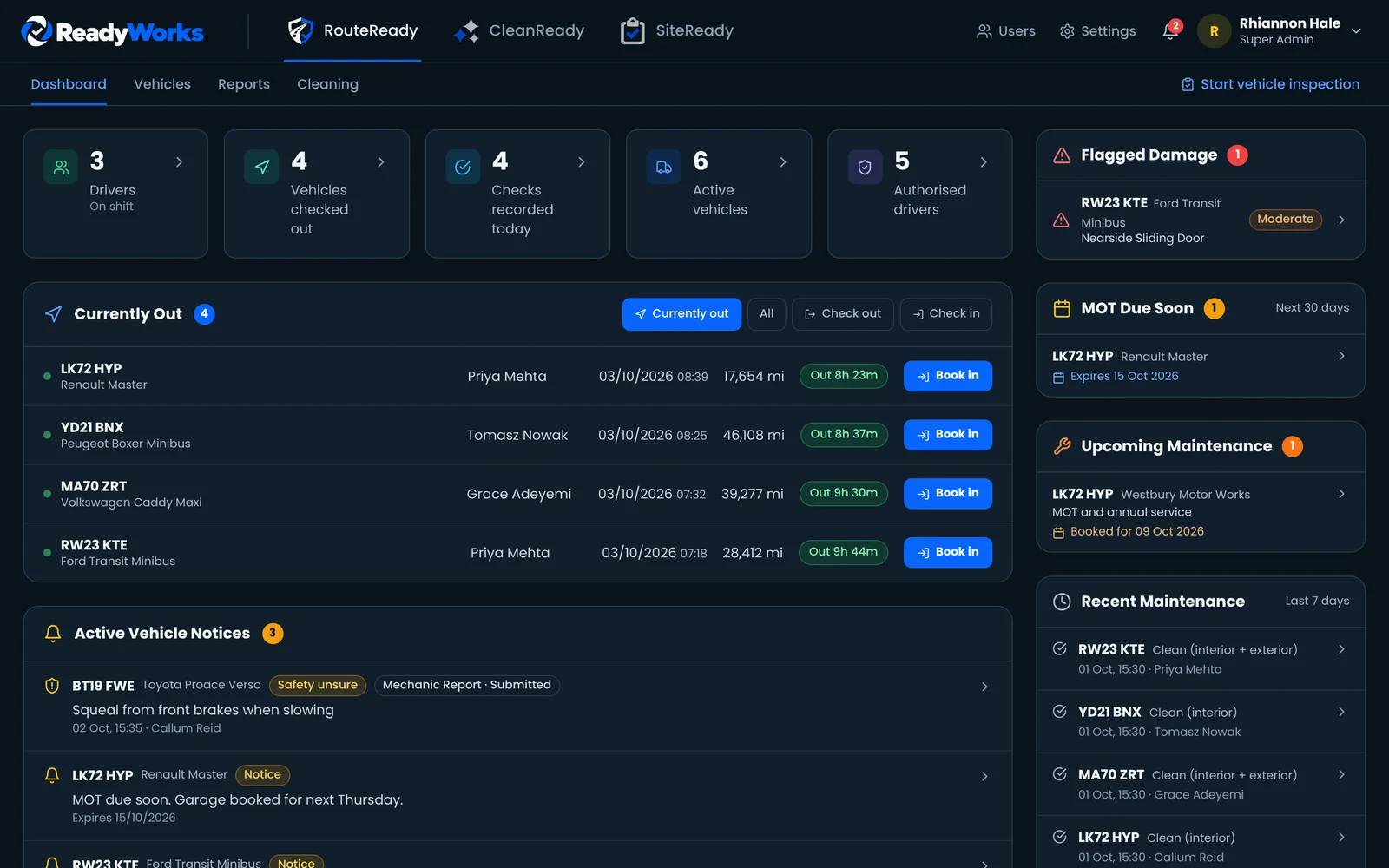
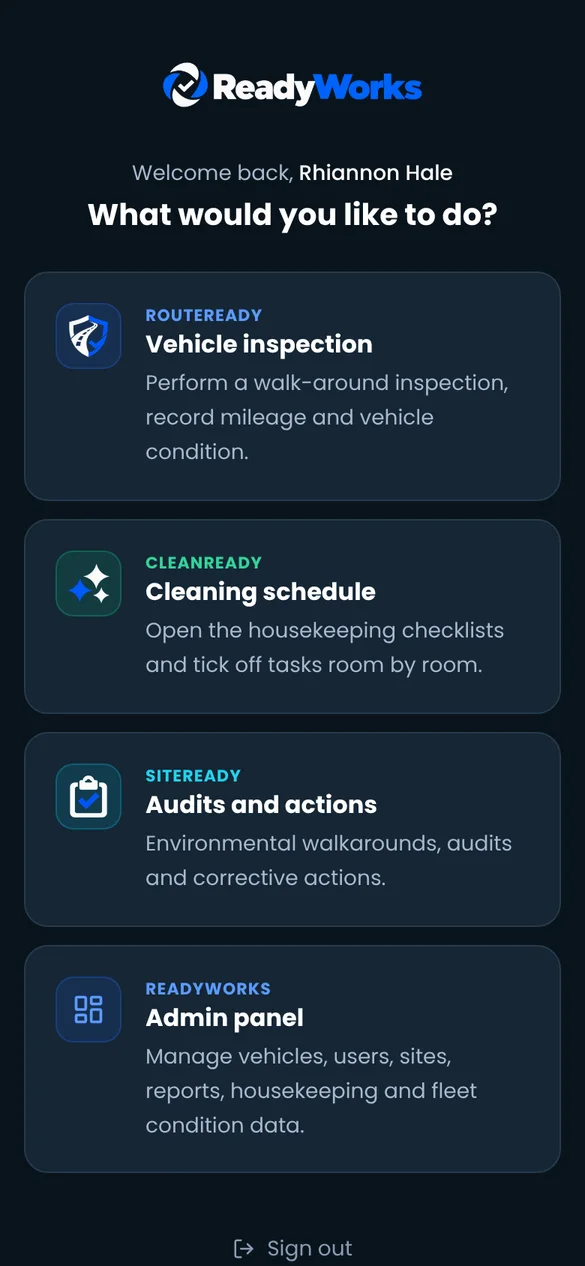
ReadyWorks brings vehicle inspections, housekeeping schedules and environmental audits together. Staff complete them on individual or shared phones/tablets, and managers see every check, defect and action in one admin panel.

RouteReady
Every vehicle checked before it leaves.
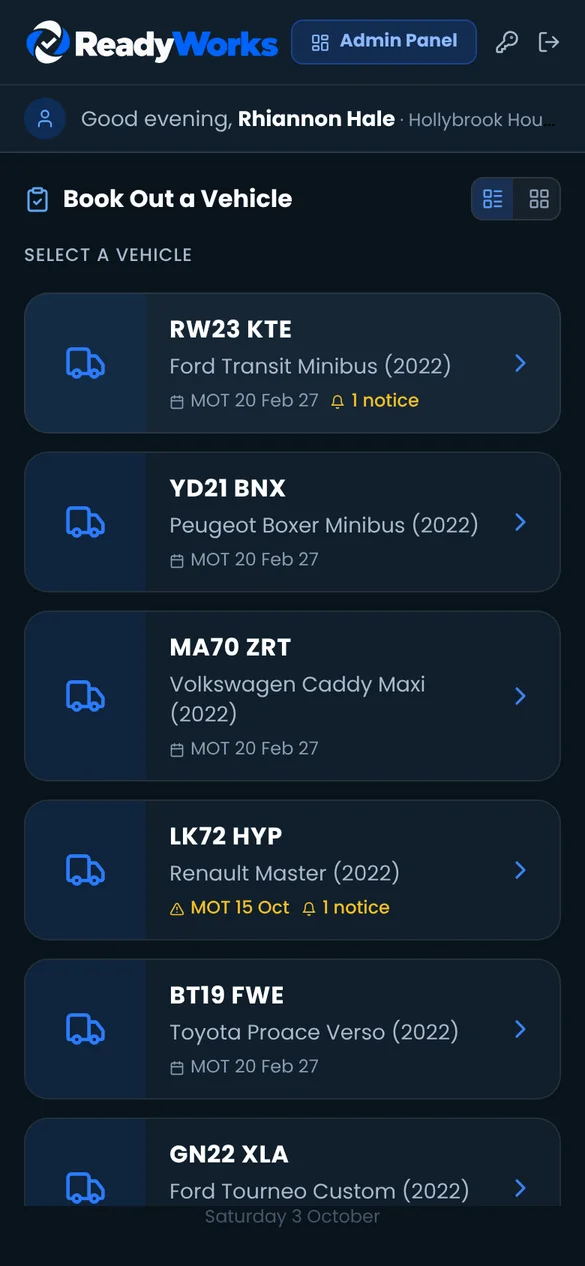
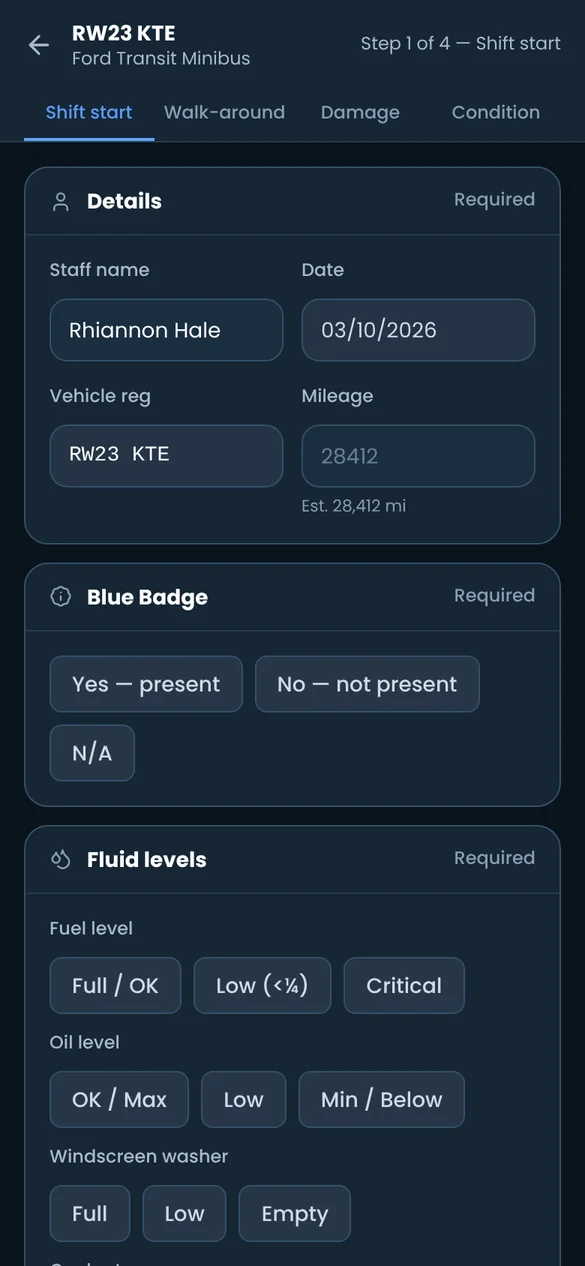
Drivers book a vehicle out with a step-by-step pre-check, mark damage on the vehicle plan and book it back in at the end of the shift. Fleet supervisors are able to see who has what, what was found and what is due.
Book out and book in
A four-step pre-check covers shift start, walk-around, damage and condition, with mileage, fuel and fluid levels, tyres and lights.
Damage on the vehicle plan
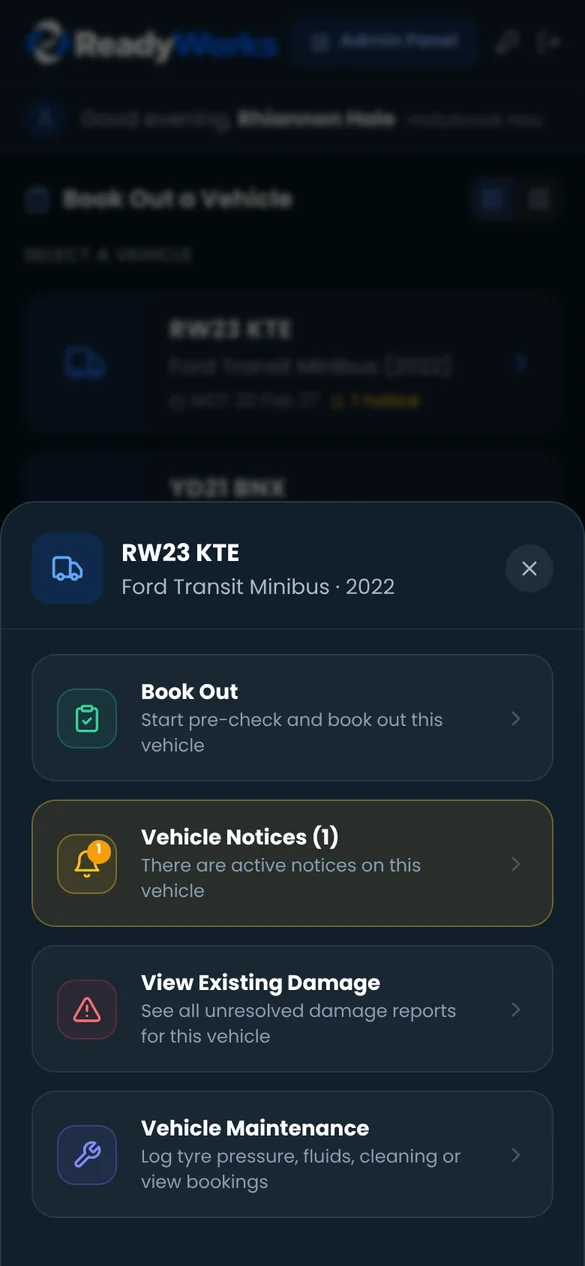
Drivers pin damage where it is, with severity, notes and photos. Existing damage is shown first, so new damage stands out.
Notices and mechanic reports
Leave notices on a vehicle for the next driver. Drivers report faults with a safe-to-drive answer, and managers approve before it goes back out.
MOT, service and cleaning rota
Reminders before MOTs and services fall due, garage bookings, tyre and fluid logs, and a vehicle cleaning rota with reasons recorded for missed tasks.
Weekly condition report
Trips, miles, checks, issues, damage and cleaning for every vehicle, day by day. Export to CSV or download a PDF with photos.

CleanReady
Room-by-room cleaning, timed and on record.
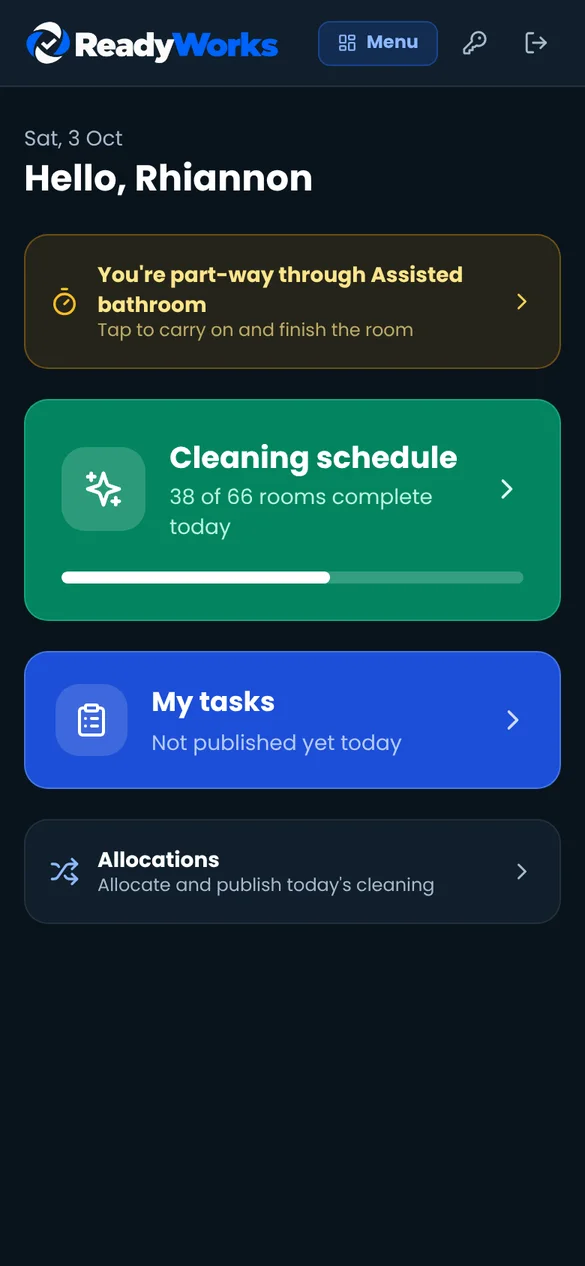
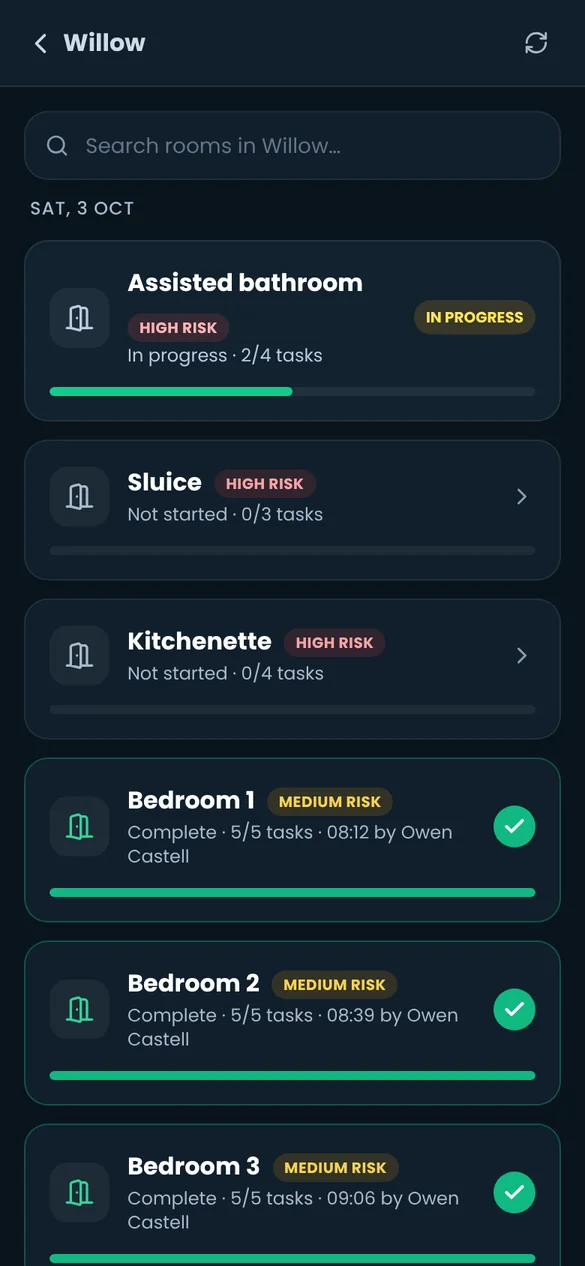
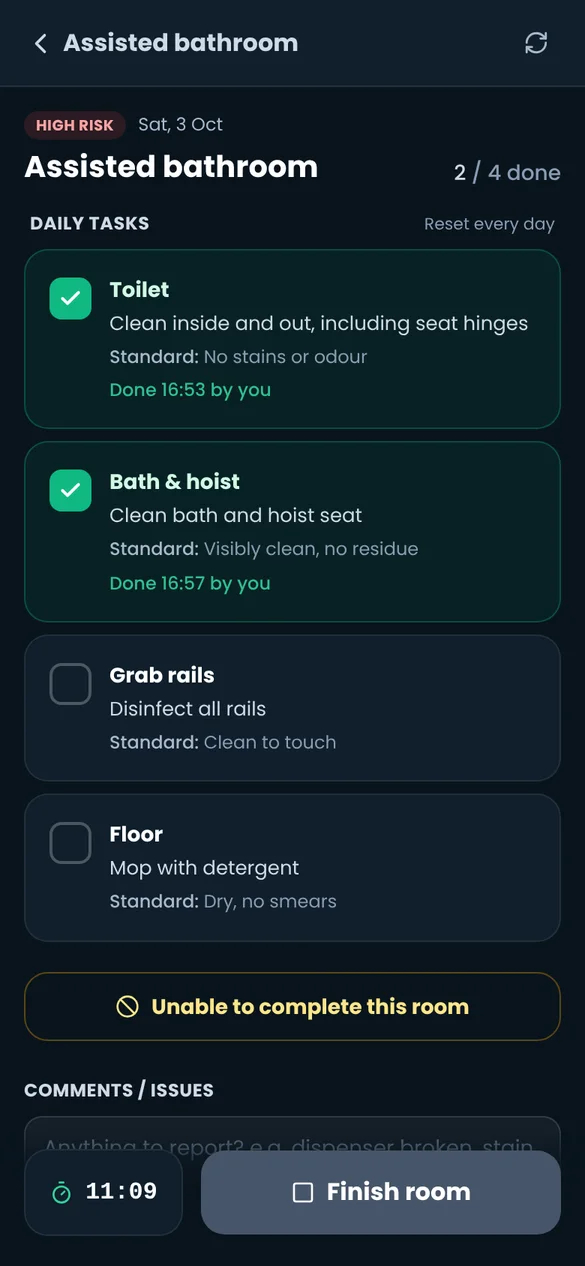
Each site sets up its own units, rooms and domestic staff. Staff open a room, tick each task against its expected standard and finish the room. The timer starts when the room is opened, so you see real cleaning times.
Checklists for every room
Each task has a description and the standard expected. Tasks can be daily, every two days, weekly, twice weekly, fortnightly or at set times.
Risk levels
Rooms are rated low, medium or high risk, so sluices, bathrooms and kitchens are never the ones left at the end of the day.
Automatic room timing
Opening a room starts the clock and finishing it stops it. If a room can't be done, staff record why.
Fair daily allocation
Tick who's on and press Allocate. ReadyWorks shares the units across the team by hours and cleaning time, with high-risk rooms spread fairly. Adjust, then publish to each person's My tasks.
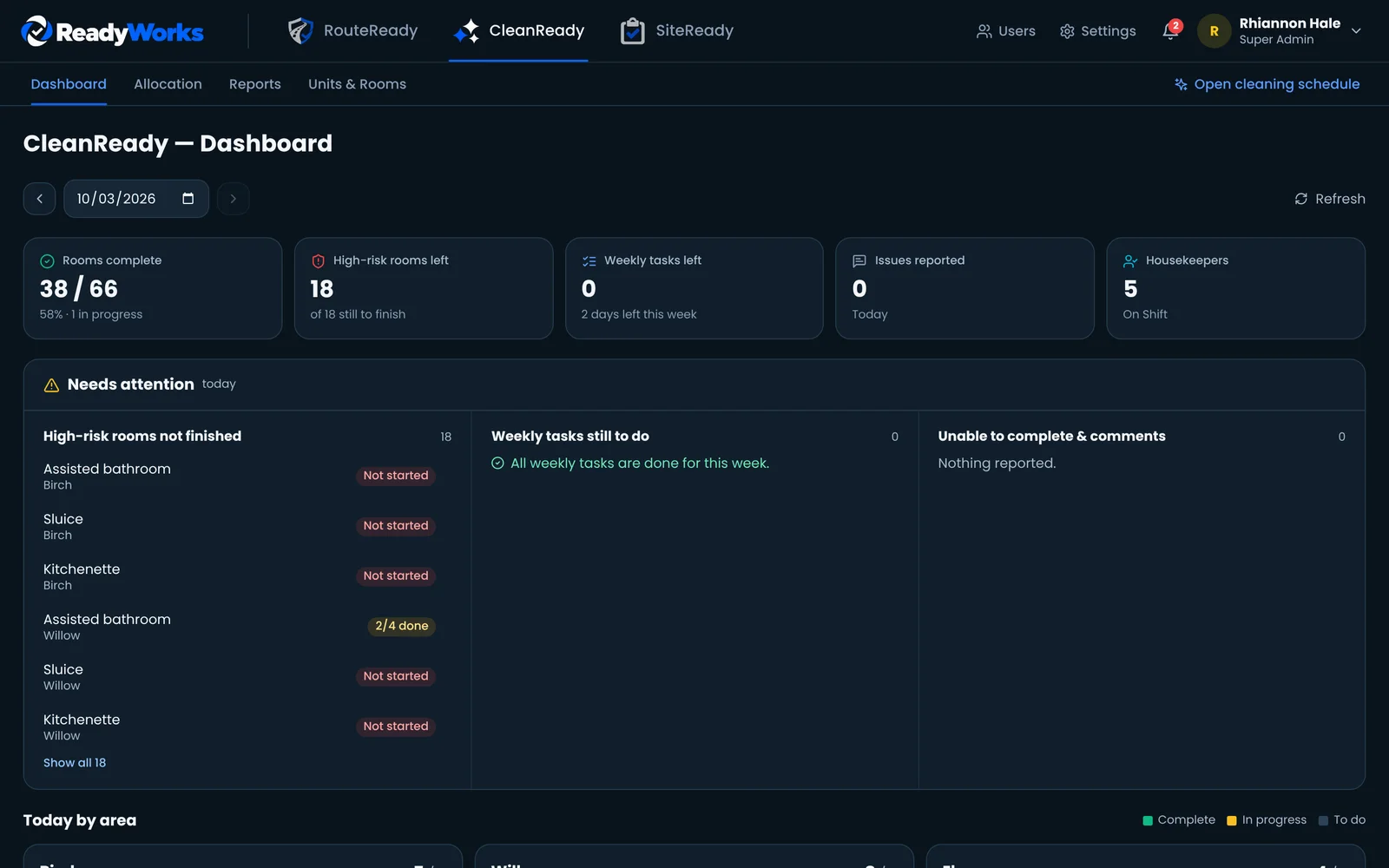
Dashboard and reports
Rooms complete, high-risk rooms left, weekly tasks outstanding and issues reported, by unit and by day.

SiteReady
Walkarounds that end in actions, not paperwork.
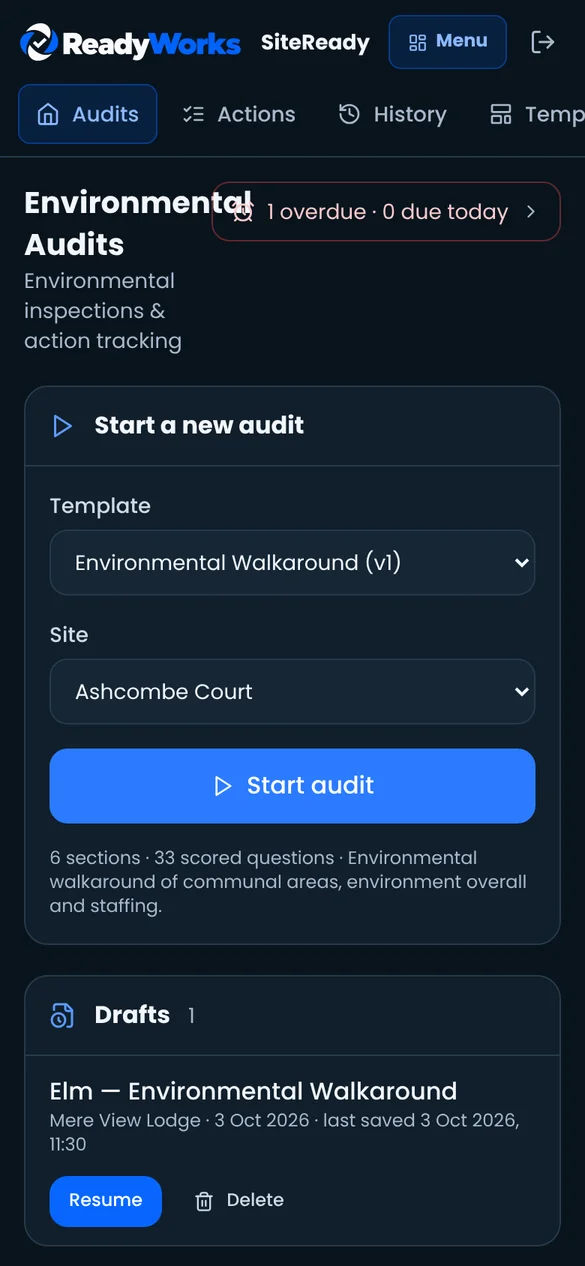
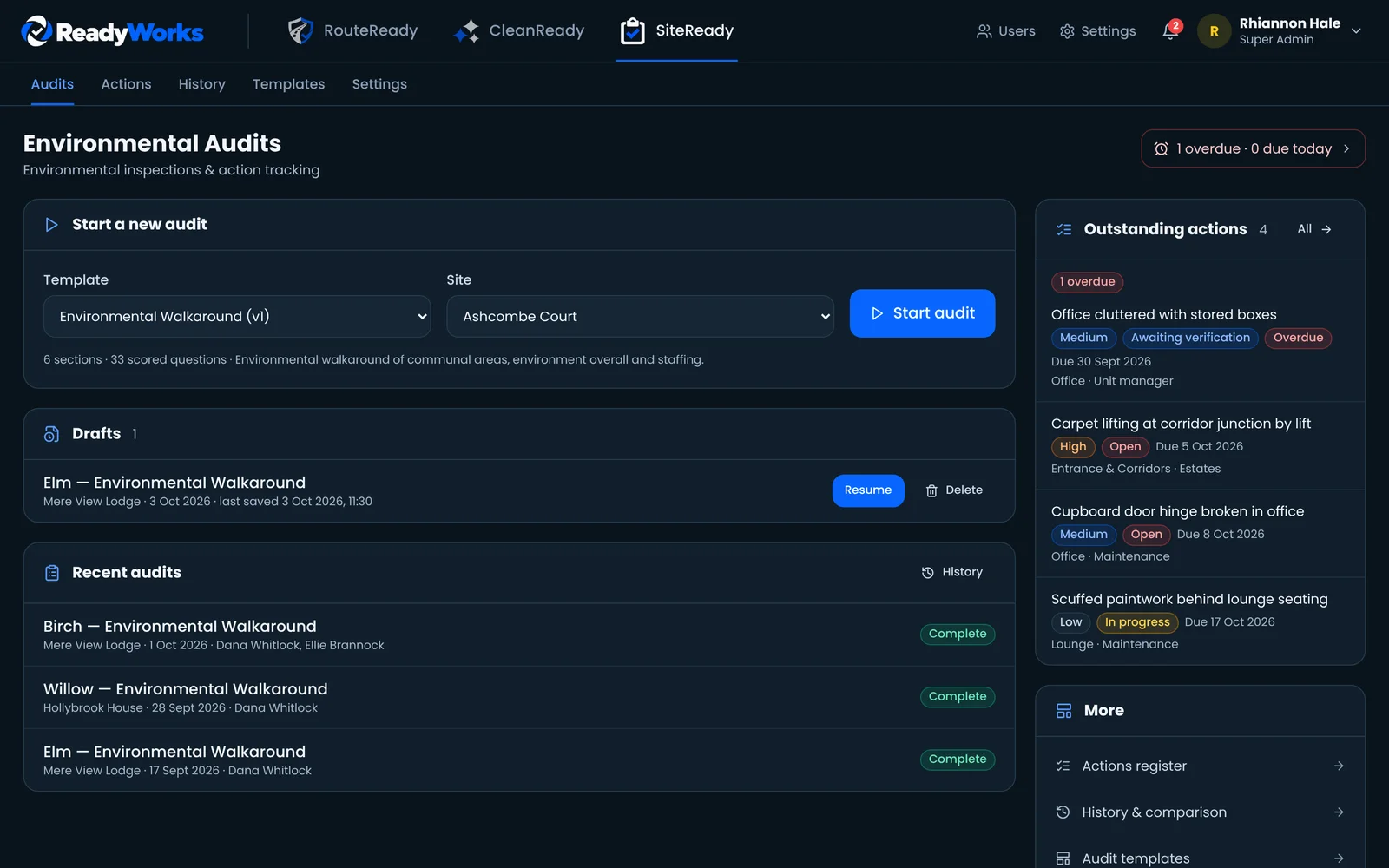
Environmental inspections and action tracking for care homes and healthcare settings. Every finding becomes an action with an owner and a due date, and it stays open until the fix is verified.
Environmental walkarounds
A built-in Environmental Walkaround covers entrances and corridors, offices, lounges, kitchens and dining areas, the wider environment and staffing.
Your own templates
Build and version your own audits with the template builder. Published versions are kept, so past audits always show the questions they were asked.
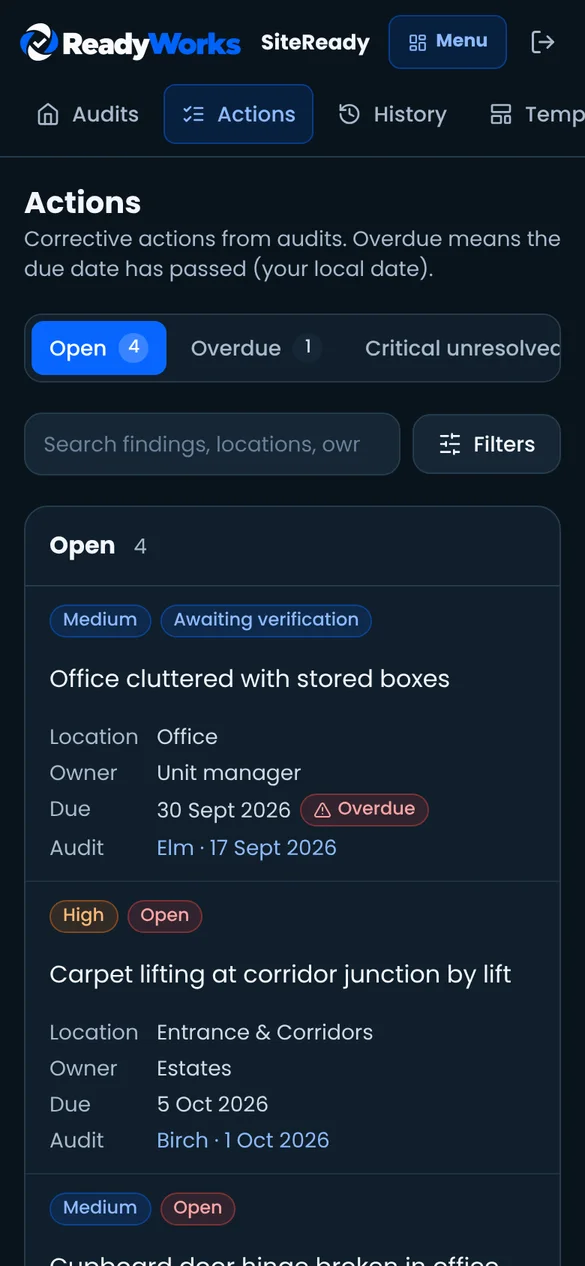
Corrective actions
Actions carry a priority from low to critical, an owner and a due date, and move from open to in progress, awaiting verification and closed.
History and comparison
Compare audits for a unit over time, open a revision with a reason, and download a PDF report.

The ReadyWorks platform
One account per person, every site in one place.
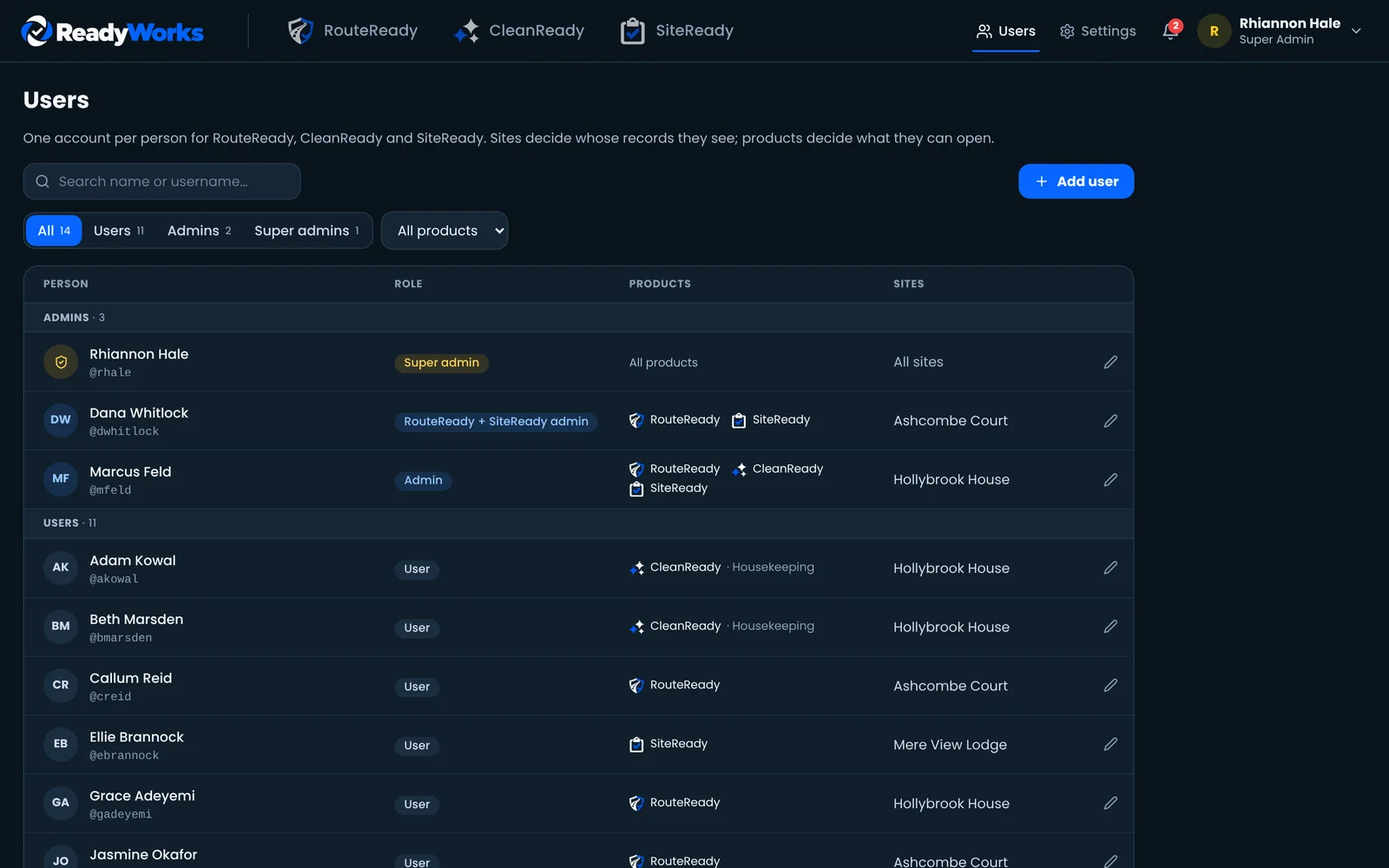
Sites choose which products they use and add their own vehicles, rooms and staff. People only see the sites and products they've been given.
Sites and products
Turn RouteReady, CleanReady and SiteReady on per site. A site with no vehicles never sees RouteReady.
Roles and permissions
Users and admins, with permission templates for groups. Admins only manage the sites they're assigned.
No signal? Carry on.
Garages, basements and rural routes are part of the job. ReadyWorks Kiosk keeps working offline and catches up by itself.
Record as normal
Checks, damage, photos, cleaning ticks, room times and audits are completed as usual.
Saved on the device
Everything is kept safely on the phone or tablet until it can upload.
Connection returns
As soon as Wi-Fi or mobile data is back, ReadyWorks notices. Nobody has to press a button.
Uploaded with its real time
Records reach the admin panel with the time they were completed, so reports stay accurate.
ReadyWorks on shared devices
A unit tablet that only does ReadyWorks.
The ReadyWorks Android app turns a company phone or tablet into a dedicated device. It opens straight into ReadyWorks, staff unlock it with a PIN, and there's nothing else to tap into.
Opens straight into ReadyWorks
No home screen, other apps, notifications or settings for staff to wander into.
Wi-Fi set by admins
Admins choose the networks a device can join. Staff can be allowed to pick from those, never type their own.
Only approved websites
ReadyWorks is allowed by default. Admins can add other sites or single links staff need.
Always up to date
Improvements to ReadyWorks reach every device at once. App updates install silently from the admin screen.
Camera ready
Photos for checks, damage and audits come from the in-app camera, camera app or gallery.
Protected admin screen
A separate admin PIN shows what is waiting to upload, manages Wi-Fi and allowed sites, and pauses kiosk mode for maintenance.
Questions
Do we need to use all three products?
No. Each site uses any combination of RouteReady, CleanReady and SiteReady, and staff only see the ones they have access to.
What devices does ReadyWorks run on?
Any modern phone, tablet or computer with a web browser. On a desktop, admins go straight to the admin panel. For shared devices, the ReadyWorks Kiosk Android app locks a device to ReadyWorks only.
What happens if a device loses signal mid-check?
Nothing is lost. The record is saved on the device and uploads automatically when the connection returns, keeping the time it was actually completed.
Can we use our own checklists?
Yes. Room tasks and standards, vehicle settings and SiteReady audit templates are all set up to match your buildings, fleet and policies.
Can we get reports out of ReadyWorks?
Yes. Weekly condition, damage, mileage, cleaning and driver activity reports export to CSV and PDF, and SiteReady audits download as PDF reports.
Does ReadyWorks use AI?
No. Every result is recorded by a named person at a known time. Nothing is generated or guessed on your behalf.
Try the demo
See ReadyWorks for yourself.
Ask for demo access and we'll email you a login to a fully working ReadyWorks demo site. Try RouteReady, CleanReady and SiteReady as an admin, from a driver's vehicle check to a cleaning schedule and an environmental audit.
Every feature to explore
The demo site comes ready with vehicles, staff, rooms, audits and reports, so you can see everything ReadyWorks does from start to finish.
Your own login
Each approved request gets its own username and password, usually the same working day.
Fresh every morning
The demo resets overnight and your login ends at the reset, so use it the same day. Ask again whenever you'd like another look. No payment details needed.